
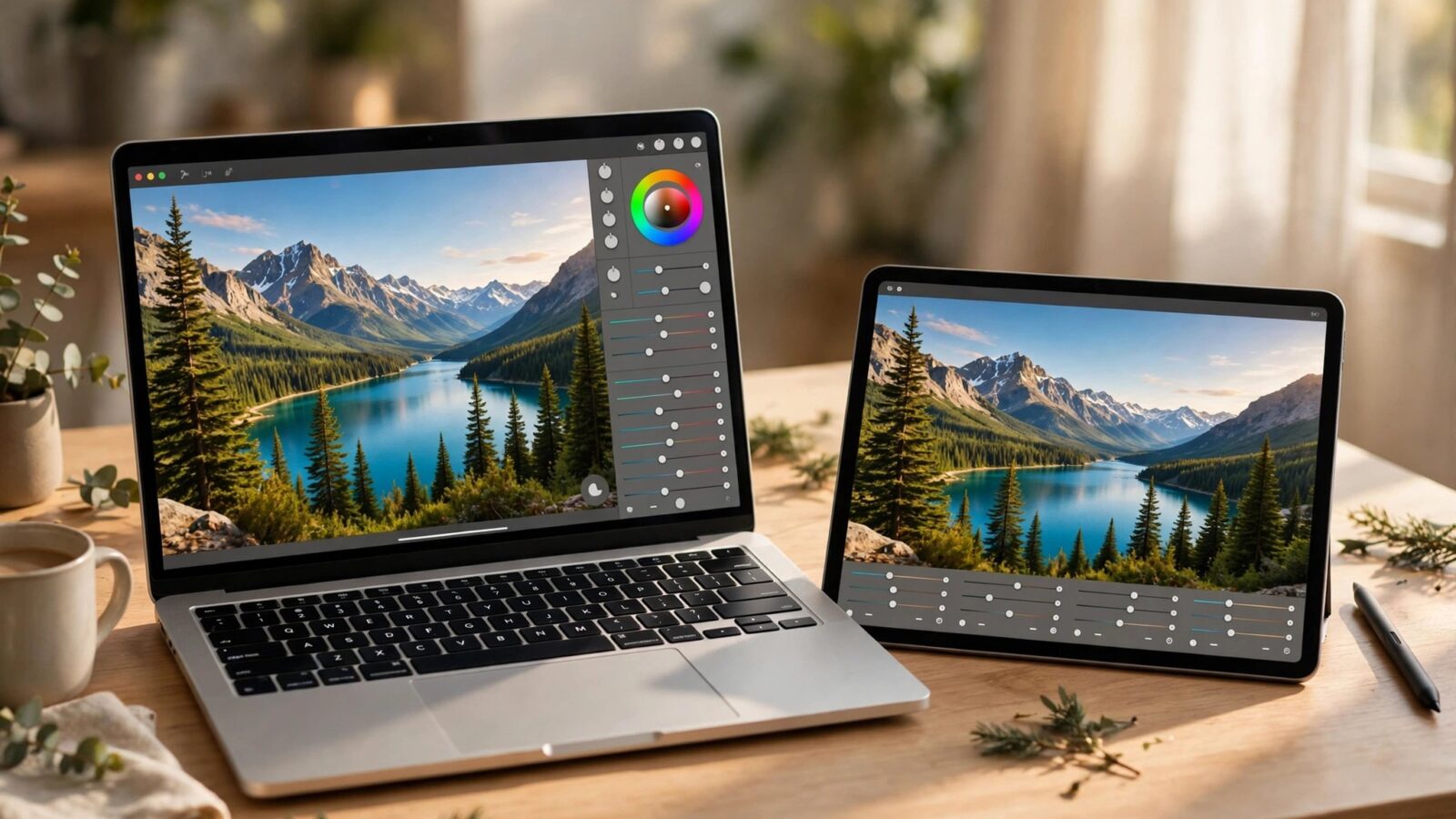
Choosing a photo editor is rarely about finding the app with the most features. It is about finding the one you will actually enjoy opening every day. This photomator review looks at Photomator through that lens: what it does well, where it feels limited, and who it genuinely suits. Photomator is made by the Pixelmator Team for Mac, iPhone, iPad, and Vision Pro, and it is built around one clear job — editing photographs, not designing posters, logos, or layouts.
That focus shapes everything in this review. If you mostly correct, enhance, and retouch photos, the streamlined approach can feel refreshing. If you need graphic design tools, text effects, or a Windows or Android version, Photomator is simply not built for you, because it does not run on those platforms at all.
Photomator Review: The Criteria That Matter
A fair review needs clear criteria, so this one judges Photomator on six points: ease of use, core editing quality, RAW handling, selective and AI tools, performance and library workflow, and value in general terms. On ease of use, Photomator scores strongly. Its interface puts photographic adjustments front and center, with sliders and tools arranged the way photographers think — exposure, color, and detail first — rather than burying them inside design-oriented menus.
Core editing quality is also convincing. Everyday adjustments such as white balance, exposure, contrast, highlights, shadows, vibrance, and sharpening behave predictably, and the results hold up well for sharing, printing, and personal archives. Edits are nondestructive, which means you can revisit any step later, compare against the original, and change your mind without damaging the underlying photo.
RAW Editing and Everyday Photo Quality
Photographers who shoot RAW will care most about highlight and shadow recovery, noise handling, and color depth. Photomator supports RAW and Apple ProRAW files and gives you the room those formats are meant to provide: recovering detail in bright skies, lifting dark corners, and correcting color casts without the banding you often see in heavily compressed JPEG edits. For a fuller walkthrough of the workflow, see our guide to Photomator RAW editing.
In practice, the app feels aimed at photographers who want strong results without a steep learning curve. You can make a dull, flat RAW file look natural and polished in a few minutes, and the same adjustment logic carries across Mac, iPhone, and iPad, so a workflow learned on one device transfers to the others.
Selective Edits, Repair, and AI Tools
Modern editors earn their keep on selective work, and Photomator covers the essentials well. Masks let you brighten a face, deepen a sky, or mute a distracting background color without touching the rest of the frame. The repair tools handle common clean-up jobs — removing small objects, blemishes, and distractions — in a way that feels integrated rather than bolted on.
The AI-assisted tools are a genuine strength. Features such as Denoise and Super Resolution are designed to rescue noisy low-light shots and add usable detail when you need to crop tightly or print larger. Our dedicated overview of Photomator Denoise and Super Resolution explains what they do in more detail. Used with restraint, these tools save photos that older workflows would have given up on, although pushing any AI tool too far can still produce an artificial look.
Limitations Worth Knowing
A balanced review also has to name the trade-offs. First, Photomator is a photo editor, full stop. It is not a general image-creation or design application, so if your work involves compositing many elements, advanced text styling, or vector shapes, you will outgrow it quickly. Second, it lives entirely inside the Apple ecosystem. There is no Windows or Android edition, and none should be assumed, so mixed-platform households or teams may find that limiting.
Third, photographers with very large, complex catalogs and highly specialized professional pipelines may want more advanced library management and tethering-style workflows than a streamlined app typically offers. Finally, its pricing is offered in general subscription and purchase-style options that can change over time, so check the current terms before deciding rather than relying on any fixed figure.
Who Photomator Suits — and Who It Does Not
Photomator suits hobbyist and enthusiast photographers who shoot on iPhone or a dedicated camera and edit on Apple devices. It suits travelers who want to edit well on an iPad, families organizing years of personal photos, and anyone who found heavier professional tools slower than their actual needs. It is less suitable for graphic designers, Windows or Android users, and specialists whose income depends on the deepest possible catalog and studio features.
Frequently Asked Questions
Is Photomator good for beginners?
Yes. Its photo-first layout, clear adjustment names, and nondestructive editing make it approachable, and beginners can grow into masks, RAW editing, and AI tools gradually instead of facing everything at once.
Does Photomator work on Windows or Android?
No. Photomator is made for Mac, iPhone, iPad, and Vision Pro. It does not run on Windows or Android, so users on those platforms need a different editor.
Can Photomator edit RAW and ProRAW photos?
Yes. Photomator supports RAW files from cameras as well as Apple ProRAW, giving you more flexibility for exposure, white balance, and detail recovery than a compressed JPEG allows.
Is Photomator a one-time purchase or a subscription?
Photomator has generally been offered with subscription and longer-term purchase-style options, but terms and pricing can change. Check the current offer on the official listing before you buy, and weigh it against how often you edit.
Conclusion
Photomator earns a positive verdict on the criteria that matter to its intended audience: it is fast to learn, strong on core photographic quality, capable with RAW files, and genuinely helpful in its selective and AI tools. Its limits are equally clear — Apple platforms only, photos only, and a streamlined rather than studio-deep workflow. If you edit photos on Apple devices and want quality without friction, it is easy to recommend. If you need design tools or cross-platform access, look elsewhere with no hard feelings.